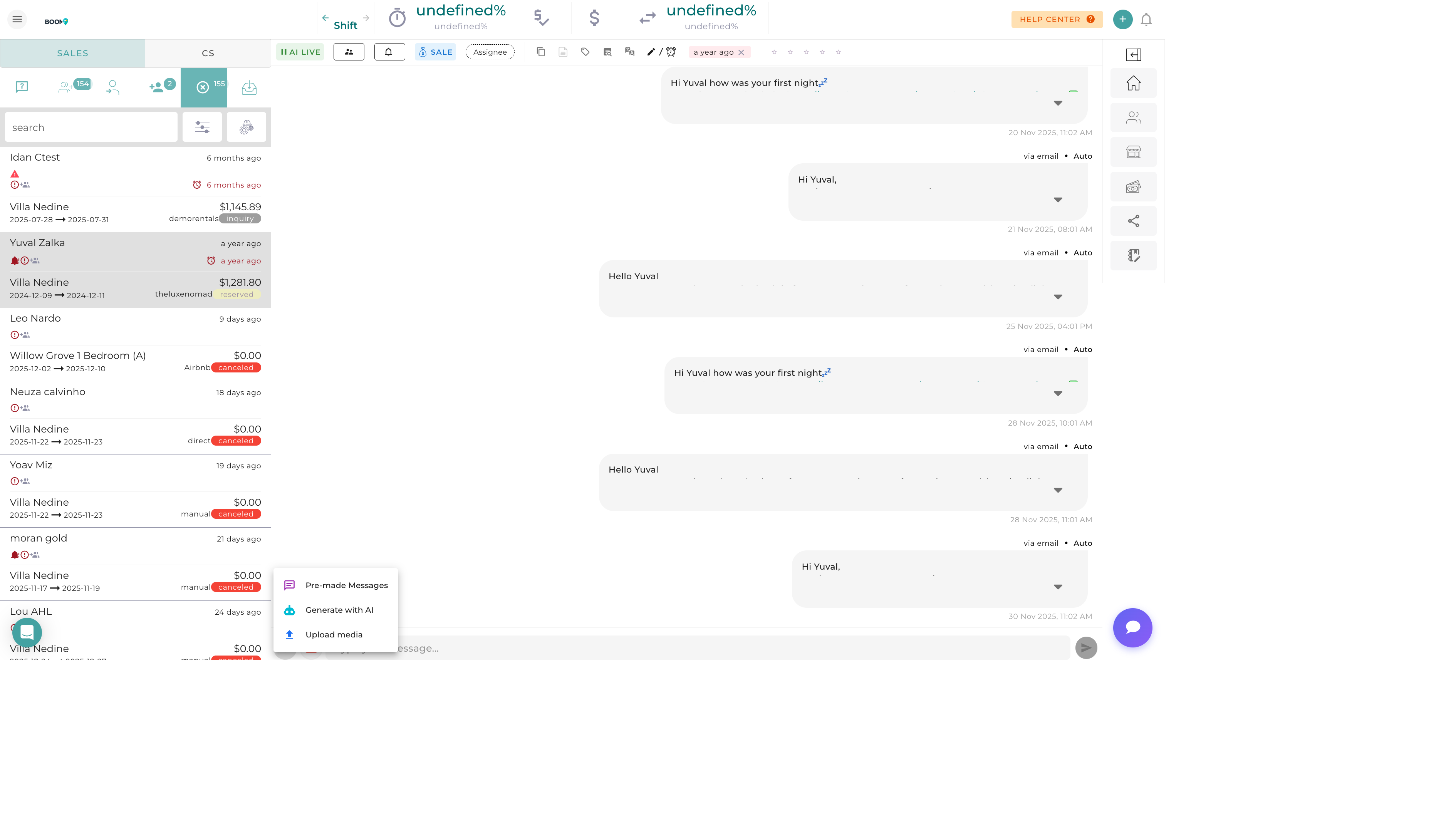
Overview
Message templates save time and ensure consistency in your guest communications. Create templates for common messages like booking confirmations, check-in instructions, and thank you notes, then insert them with a single click.
Using a Template
-
Open Message Compose
Start composing a new message or reply
-
Click Templates Button
Find the template icon in the compose toolbar
-
Select Template
Browse or search for your template
-
Review Content
Variables are automatically filled with guest/reservation data
-
Customize if Needed
Edit any part before sending
-
Send
Send the personalized message
Template Variables
Variables auto-populate with actual data:
| Variable | Inserts |
|---|---|
{{guest_name}} |
Guest's first name |
{{guest_full_name}} |
Guest's full name |
{{property_name}} |
Property/listing name |
{{checkin_date}} |
Check-in date |
{{checkout_date}} |
Check-out date |
{{checkin_time}} |
Check-in time |
{{checkout_time}} |
Check-out time |
{{confirmation_code}} |
Reservation confirmation number |
{{total_amount}} |
Total booking amount |
{{balance_due}} |
Outstanding balance |
{{wifi_name}} |
Property WiFi network name |
{{wifi_password}} |
Property WiFi password |
{{door_code}} |
Door/lock access code |
Creating a Template
-
Go to Template Settings
Settings > Message Templates
-
Click Create Template
Open the template editor
-
Name Your Template
Choose a descriptive, searchable name
-
Select Category
Group templates by type (Check-in, Payment, etc.)
-
Write Content
Type your message with variables
-
Choose Channels
Select which channels this template can be used on
-
Save Template
Available for immediate use
Common Template Types
| Template | When to Use |
|---|---|
| Booking Confirmation | After reservation is confirmed |
| Pre-Arrival | 1-3 days before check-in |
| Check-In Instructions | Day of check-in |
| Welcome Message | After guest arrives |
| Mid-Stay Check | During longer stays |
| Check-Out Reminder | Day before departure |
| Thank You | After checkout |
| Review Request | 1-2 days after checkout |
| Payment Reminder | When balance is due |
Organizing Templates
Categories
Group templates by purpose:
- Pre-Arrival - Before guest arrives
- During Stay - While guest is staying
- Post-Stay - After checkout
- Payments - Financial communications
- Issues - Problem resolution
- Marketing - Promotional messages
Property-Specific Templates
Create templates for individual properties when needed:
- Properties with unique check-in procedures
- Locations with special amenities to highlight
- Properties with complex access instructions
Best Practices
- Keep it personal - Start with guest's name, write warmly
- Be concise - Especially for SMS templates
- Test variables - Preview to ensure variables fill correctly
- Update regularly - Review templates when property details change
- Create channel versions - Long version for email, short for SMS
- Include contact info - How to reach you with questions
Was this guide helpful?
Thanks for your feedback!