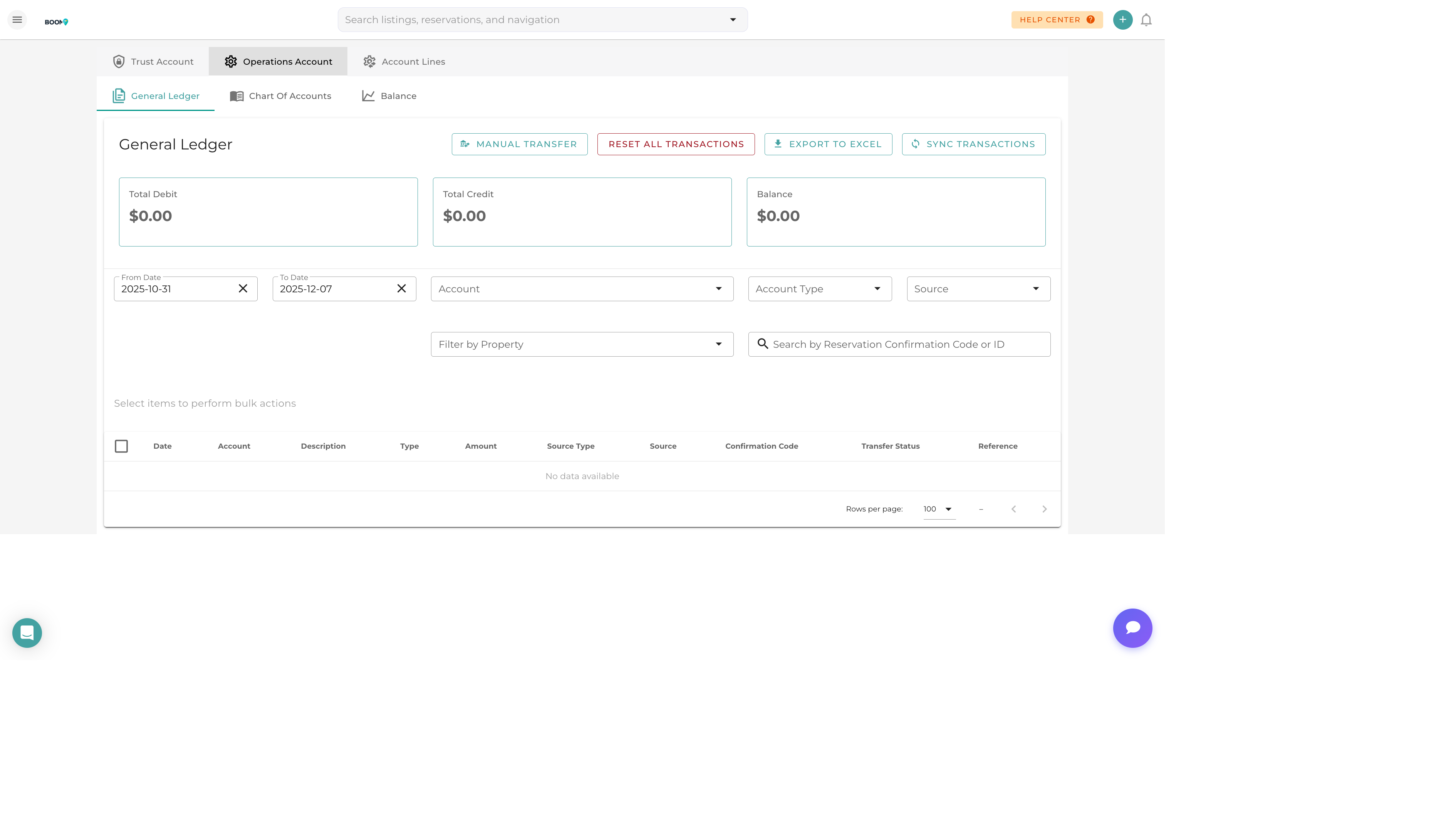
The General Ledger: Complete financial transaction history
Overview
The Boom PMS ledger system provides a full double-entry accounting framework tailored for vacation rental businesses. It automatically records transactions from reservations, expenses, and payments while allowing manual entries for complete financial control.
Key features include:
- Pre-configured chart of accounts for vacation rentals
- Automatic transaction recording from reservations
- Manual journal entry capability
- Multi-property and multi-owner tracking
- Integration with external accounting software
Chart of Accounts
The chart of accounts organizes your financial data into standard accounting categories:

| Account Type | Description | Examples |
|---|---|---|
| Assets | What you own or are owed | Bank accounts, Accounts Receivable |
| Liabilities | What you owe to others | Security Deposits, Owner Payables |
| Income | Revenue from operations | Rental Income, Cleaning Fees, Management Fees |
| Expenses | Costs of running the business | Cleaning Costs, Maintenance, Utilities |
| Equity | Owner's stake in the business | Retained Earnings, Owner Equity |
Viewing Transactions
Filter by Date Range
Use the date picker to select a specific time period. Common options include:
- This Month / Last Month
- This Quarter / Last Quarter
- This Year / Last Year
- Custom date range
Filter by Account
Select specific accounts to view their transaction history. You can filter by:
- Account type (Assets, Liabilities, etc.)
- Specific account name
- Property (for property-specific accounts)
Transaction Details
Each transaction shows:
- Date - When the transaction occurred
- Description - What the transaction is for
- Debit/Credit - The amounts and direction
- Balance - Running account balance
- Source - Where the transaction came from (reservation, expense, manual)
Pro Tips
Monthly Reconciliation
Review ledger balances monthly and reconcile with bank statements. This catches discrepancies early and keeps your books accurate.
Export for Accountants
Use the export feature to generate reports for your accountant. Choose CSV or PDF format based on their preference.
Avoid Editing Posted Transactions
Once transactions are posted to a closed period, avoid editing them. Use adjusting entries instead to maintain audit trail integrity.
Was this guide helpful?
Thanks for your feedback!