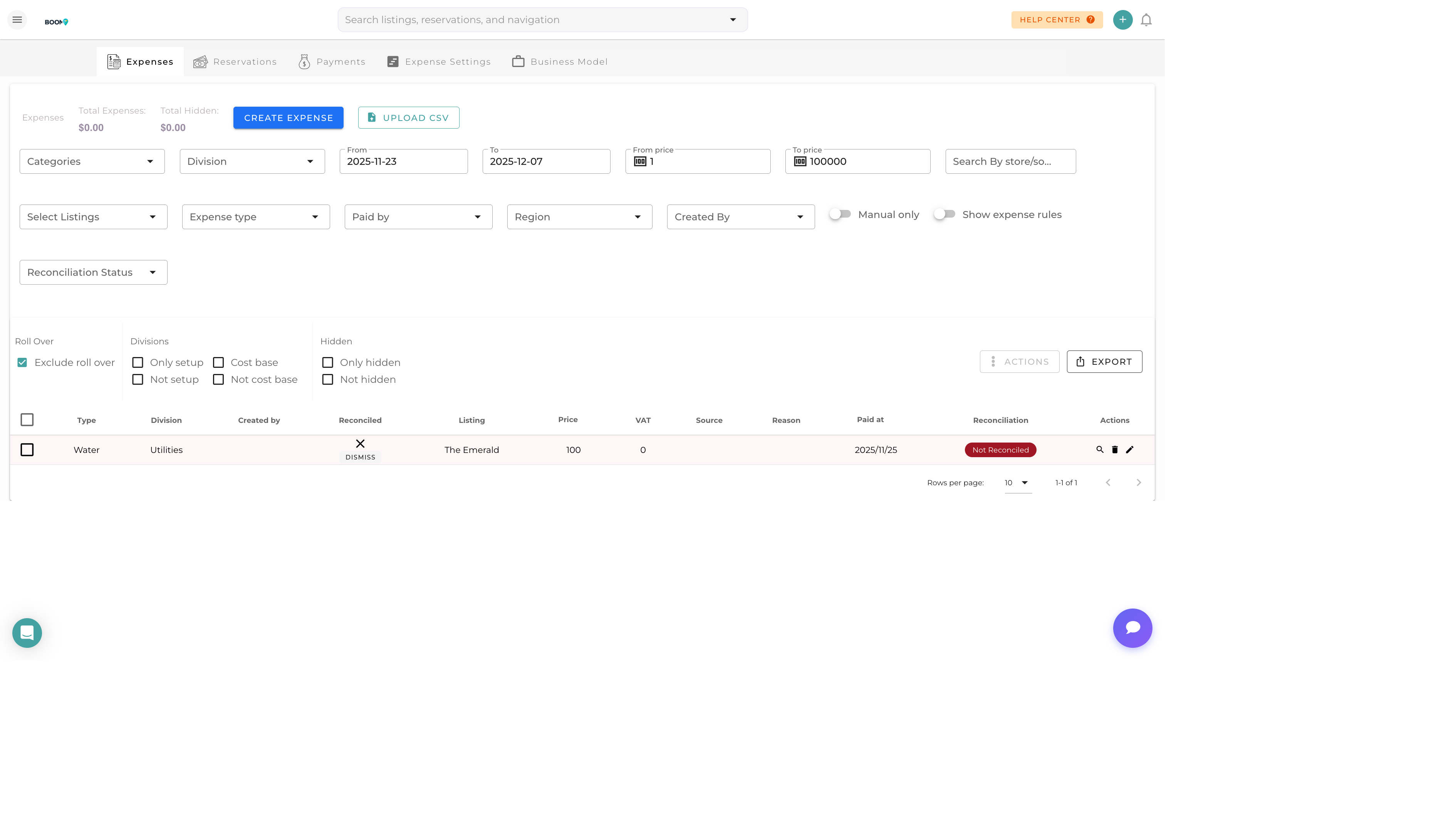
Expense Tracking: Record all property and business expenses in one place
Overview
Expense tracking in Boom PMS allows you to record all costs associated with your properties and business operations. Proper expense recording is essential for accurate owner statements, tax reporting, and profitability analysis.
Features include:
- Property-specific and business expense categorization
- Receipt attachment and storage
- Vendor/contractor tracking
- Automatic ledger posting
- Expense approval workflows
Recording an Expense
Step 1: Click "Add Expense"
From the Expenses page, click the "Add Expense" button to open the expense form.
Step 2: Enter Expense Details
Fill in the required information:
- Date - When the expense occurred
- Amount - The expense amount
- Category - Select the expense category
- Property - Which property (if property-specific)
- Vendor - Who the payment went to
- Description - Details about the expense
Step 3: Attach Receipt
Upload a photo or scan of the receipt. This provides documentation for:
- Tax purposes and audits
- Owner statement backup
- Warranty claims
Step 4: Save Expense
Click Save to record the expense. It will automatically post to the ledger and appear in relevant reports.
Expense Categories
| Category | Type | Examples |
|---|---|---|
| Cleaning | Property | Turnover cleans, deep cleaning, supplies |
| Maintenance | Property | Repairs, equipment replacement, landscaping |
| Utilities | Property | Electric, water, gas, internet |
| Supplies | Property | Linens, toiletries, kitchen items |
| Insurance | Property/Business | Property insurance, liability coverage |
| Software | Business | PMS fees, channel fees, tools |
| Marketing | Business | Advertising, photography, website |
Pro Tips
Record Immediately
Record expenses as they occur. Delaying leads to forgotten expenses and inaccurate reports.
Link to Tasks
When recording maintenance expenses, link them to the related task. This creates a complete record of work performed and costs.
Choose Correct Property
Always select the correct property for property-specific expenses. This ensures accurate owner statements and profitability analysis.
Was this guide helpful?
Thanks for your feedback!