Overview
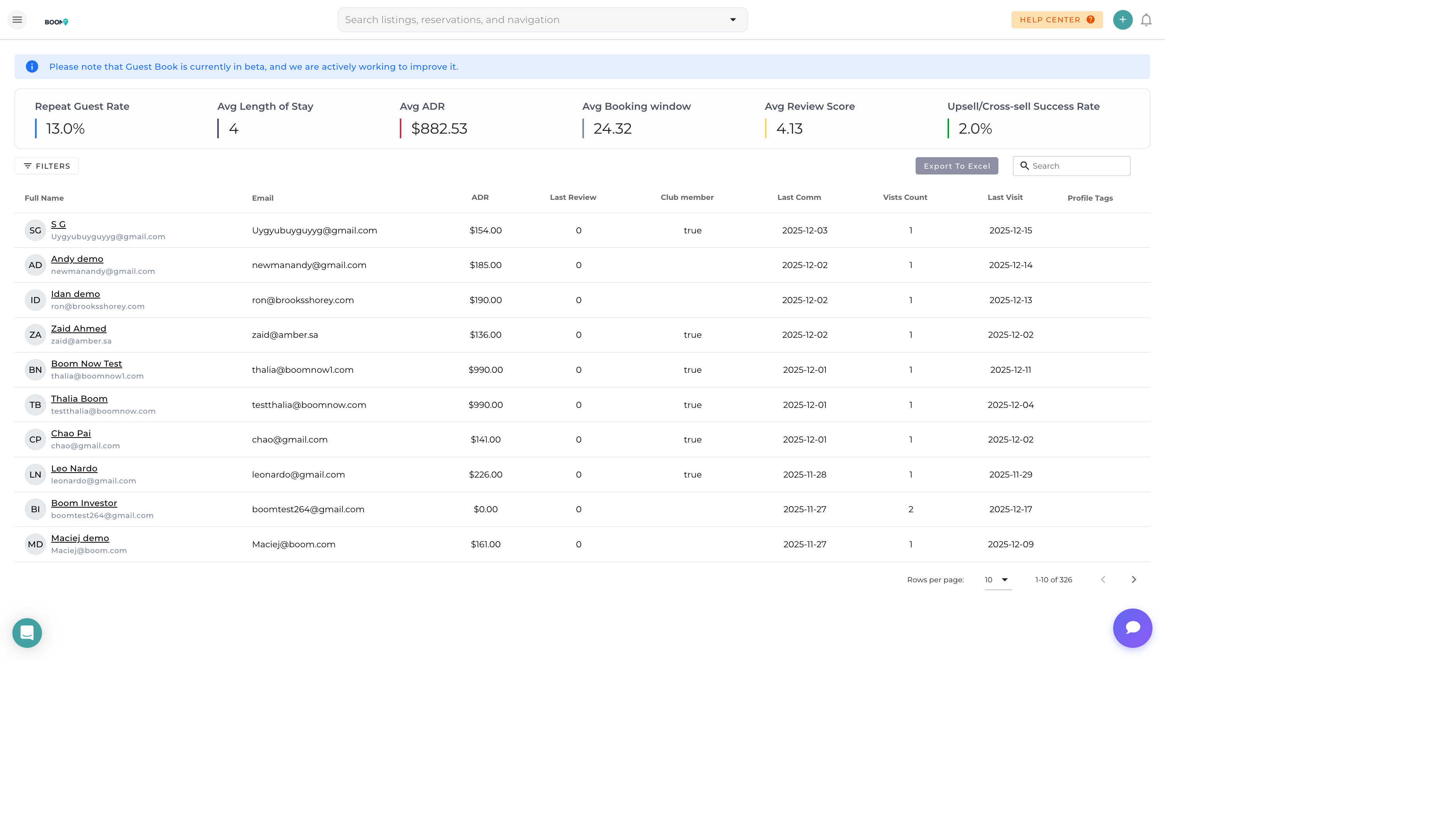
The Guest Book is your central directory of all guests who have ever stayed with you or inquired about a booking. Browse, search, and filter through your guest database to find anyone quickly and access their complete profile.
Accessing the Guest Book
-
Open the Main Menu
Click the menu icon or use keyboard shortcut
-
Navigate to Guests
Find "Guests" or "Guest Book" in the menu
-
Browse or Search
View the guest list or use search to find specific guests
The Guest List
The guest list displays key information at a glance:
| Column | Information |
|---|---|
| Name | Guest's full name with profile photo if available |
| Primary email address | |
| Phone | Primary phone number |
| Total Stays | Number of completed reservations |
| Total Spent | Lifetime revenue from this guest |
| Last Stay | Date of most recent checkout |
| Tags | Any tags assigned to the guest |
Searching for Guests
Quick Search
Use the search bar at the top of the guest list to find guests by:
- First or last name
- Email address
- Phone number
- Guest ID
Filters
Narrow your results using filters:
| Filter | Description |
|---|---|
| Tags | Filter by assigned tags (VIP, Repeat, etc.) |
| Source | Channel where guest first booked |
| Stay Count | Number of reservations |
| Date Range | When they last stayed |
| Property | Guests who stayed at specific property |
Sorting Options
Click column headers to sort the guest list:
- Name - Alphabetical A-Z or Z-A
- Total Stays - Most to least active guests
- Total Spent - Highest to lowest revenue
- Last Stay - Most recent to oldest
- Created - When the guest was added
Bulk Actions
Select multiple guests to perform bulk operations:
- Add Tags - Apply tags to selected guests
- Send Message - Email or SMS to multiple guests
- Export - Download guest data as CSV
- Merge - Combine duplicate guest profiles
Creating a New Guest
While guests are usually created automatically with reservations, you can add guests manually:
-
Click "Add Guest"
Button located in the top right of guest list
-
Enter Details
Fill in name, email, phone at minimum
-
Add Optional Info
Address, preferences, notes
-
Save
Create the guest profile
Was this guide helpful?
Thanks for your feedback!