Guest History in Boom PMS
Overview
Guest history provides a complete view of every interaction a guest has had with your properties. From their first booking to their most recent stay, track patterns and build stronger relationships with returning guests.
Accessing Guest History
-
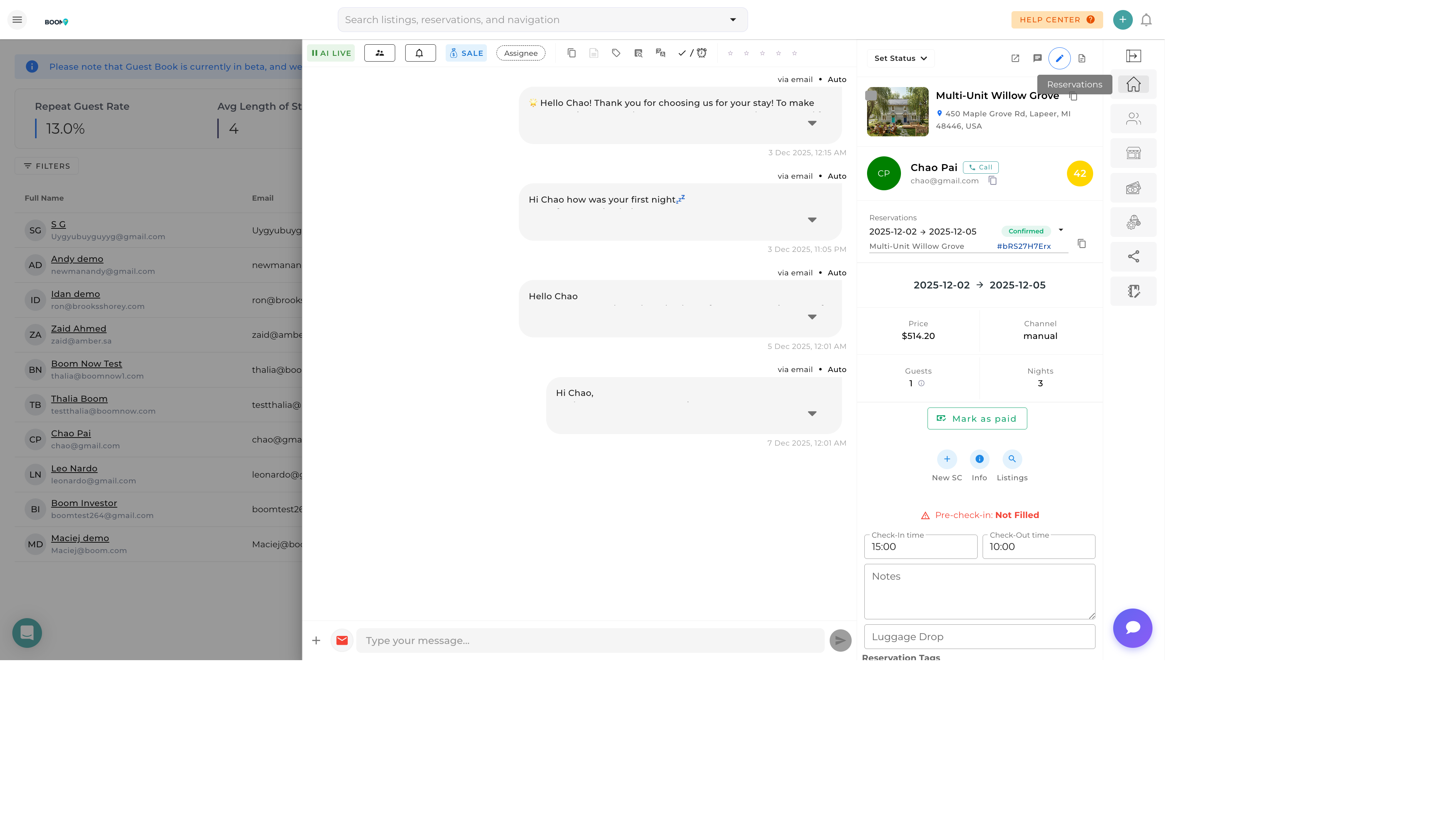
Open Guest Profile
Find the guest in Guest Book or via a reservation
-
Click Reservations Tab
Navigate to the reservations/history section
-
View Complete History
See all past, current, and future bookings
Guest Statistics
Key metrics displayed on the guest profile:
| Metric | Description |
|---|---|
| Total Stays | Number of completed reservations |
| Total Nights | Cumulative nights stayed across all bookings |
| Total Spent | Lifetime revenue from this guest |
| Average Nightly Rate | Average rate paid across all stays |
| First Stay | Date of first booking |
| Last Stay | Date of most recent checkout |
| Preferred Property | Most frequently booked listing |
Reservation History List
Each reservation in the history shows:
| Field | Information |
|---|---|
| Dates | Check-in and check-out dates |
| Property | Which listing they stayed at |
| Status | Completed, Cancelled, Upcoming |
| Source | Booking channel (Airbnb, Direct, etc.) |
| Total | Revenue from that reservation |
| Nights | Length of stay |
Quick Navigation
Click any reservation in the history list to open its full details page.
Using Guest History
Identify VIP Guests
Recognize your most valuable guests by:
- High total spending
- Multiple repeat stays
- Long booking durations
- Direct booking preference
Personalize Service
Use history to enhance guest experience:
- Remember property preferences
- Note special occasions (anniversaries, etc.)
- Anticipate needs based on past stays
- Offer loyalty discounts to repeat guests
Revenue Analysis
Track guest value over time:
- Calculate customer lifetime value
- Compare direct vs OTA booking patterns
- Identify seasonal booking preferences
- Track rate sensitivity
Booking Patterns
Look for patterns in guest behavior:
| Pattern | What It Tells You |
|---|---|
| Same property every time | Strong property loyalty - prioritize their requests |
| Seasonal visits | Likely to book again same time next year |
| Increasing stay length | Growing satisfaction, potential long-term renter |
| Mix of properties | Likes variety - promote new listings |
| Always direct booking | Values relationship - offer exclusive perks |
Repeat Guest Recognition
The system automatically tags guests as "Repeat" after their second completed stay. Look for this tag to quickly identify returning guests.
Was this guide helpful?
Thanks for your feedback!