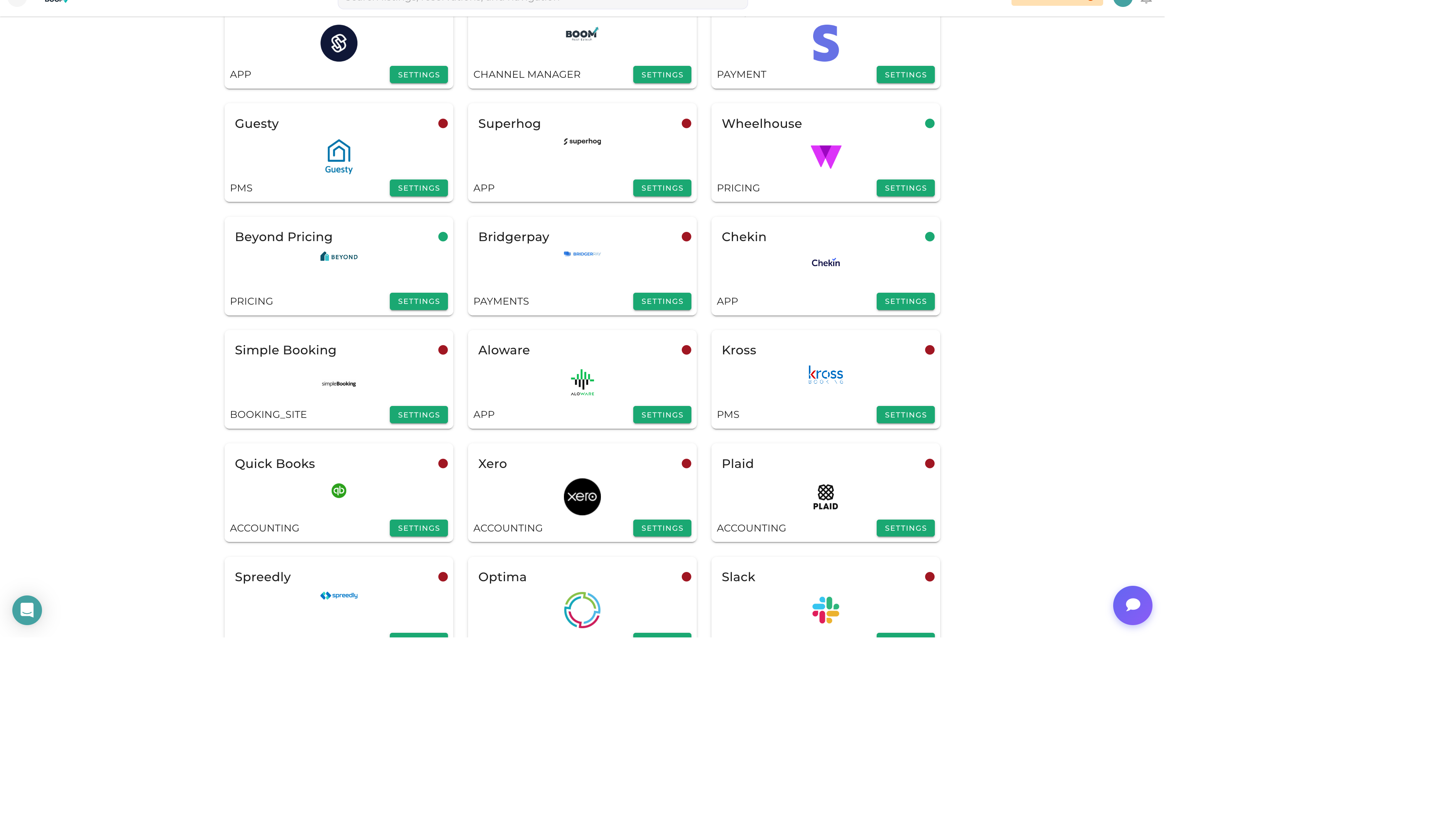
Integrations Marketplace: Browse all available integrations by category
Overview
The Integrations Marketplace is your central hub for connecting Boom PMS with external services. Browse available integrations by category, view connection status, and manage your connected services all in one place.
Integration Categories
Payment Processing
- Stripe - Credit card and ACH payments
- PayPal - PayPal checkout option
- Square - In-person payments
Accounting
- QuickBooks Online - Sync transactions and invoices
- Xero - Cloud accounting integration
Communication
- Twilio - SMS and voice messaging
- WhatsApp Business - WhatsApp messaging
- SendGrid - Transactional emails
Smart Devices
- Smart Locks - August, Yale, Schlage, RemoteLock
- Noise Monitoring - Minut, NoiseAware
- Thermostats - Nest, Ecobee
Banking
- Plaid - Bank account connection and transaction sync
Automation
- Zapier - Connect with 5000+ apps
- Make (Integromat) - Advanced workflow automation
Browsing Integrations
1
Navigate to Integrations
Go to Admin > Integrations from the main menu.
2
Browse by Category
Integrations are organized by type. Click a category to filter the view.
3
View Integration Details
Click any integration card to see details, requirements, and setup instructions.
4
Connect Integration
Click "Connect" or "Set Up" to begin the integration process.
Connection Status
Each integration shows its current status:
- Connected - Integration is active and working
- Disconnected - Integration was previously connected but is now disabled
- Error - Connection issue requires attention
- Not Connected - Integration has never been set up
Managing Connected Integrations
For connected integrations, you can:
- Configure - Adjust integration settings
- Test - Verify the connection is working
- View Logs - See sync history and errors
- Disconnect - Remove the integration
Pro Tips
Start with Essentials
Begin with payment processing and communication integrations. These are fundamental for guest management.
API Credentials
Most integrations require API credentials from the third-party service. Have your account details ready before starting setup.