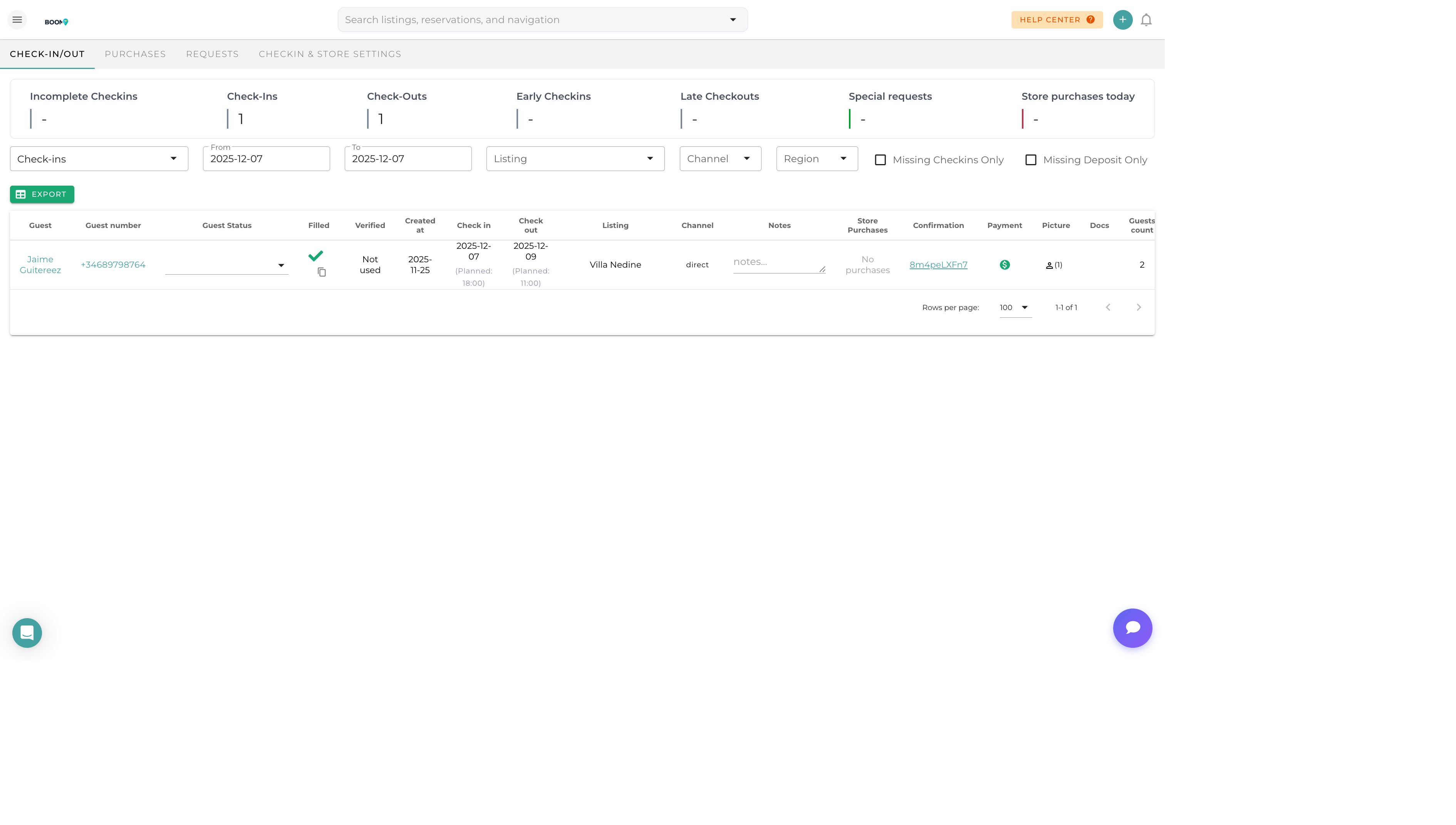
Overview
Pre-check-in allows guests to complete registration requirements before they arrive. Collect ID verification, guest details, rental agreement signatures, and payment information in advance for a smooth check-in experience.
What Pre-Check-In Collects
| Information | Description | Optional |
|---|---|---|
| Guest Information | Names, contact details for all guests | No |
| ID Verification | Government ID photo upload | Configurable |
| Arrival Details | Expected arrival time, flight info | Yes |
| Rental Agreement | Digital signature on terms | Configurable |
| Payment | Outstanding balance or deposit | Configurable |
| Custom Questions | Property-specific questions | Yes |
Enabling Pre-Check-In
For a Single Reservation
- Open the Reservation
Navigate to reservation details
- Click Pre-Check-In
Find in actions or Overview tab
- Configure Requirements
Select what information to collect
- Send Link
Email pre-check-in link to guest
Automatic Pre-Check-In
Set up automation to send pre-check-in links automatically:
- Trigger X days before check-in
- Send reminders if not completed
- Configure by property or globally
Guest Experience
When guests receive the pre-check-in link:
- Click Link
Opens secure web form
- Verify Identity
Enter reservation details to access
- Complete Steps
Fill in required information
- Sign Agreement
Review and sign rental terms
- Make Payment
Pay any outstanding balance
- Confirmation
Receive confirmation with check-in instructions
Monitoring Completion
Track pre-check-in status on each reservation:
| Status | Meaning |
|---|---|
| Not Sent | Pre-check-in link hasn't been sent |
| Pending | Link sent, waiting for guest |
| In Progress | Guest started but not finished |
| Completed | All requirements fulfilled |
| Expired | Link expired without completion |
ID Verification
When ID verification is enabled:
- Guest uploads photo of government ID
- Front and back if required
- Selfie for identity matching (optional)
- Stored securely in reservation documents
Rental Agreements
Configure rental agreements for digital signature:
- Template Setup - Create agreement templates in settings
- Variable Fields - Auto-fill guest name, dates, property
- E-Signature - Legally binding electronic signature
- Storage - Signed agreements saved to reservation
Was this guide helpful?
Thanks for your feedback!