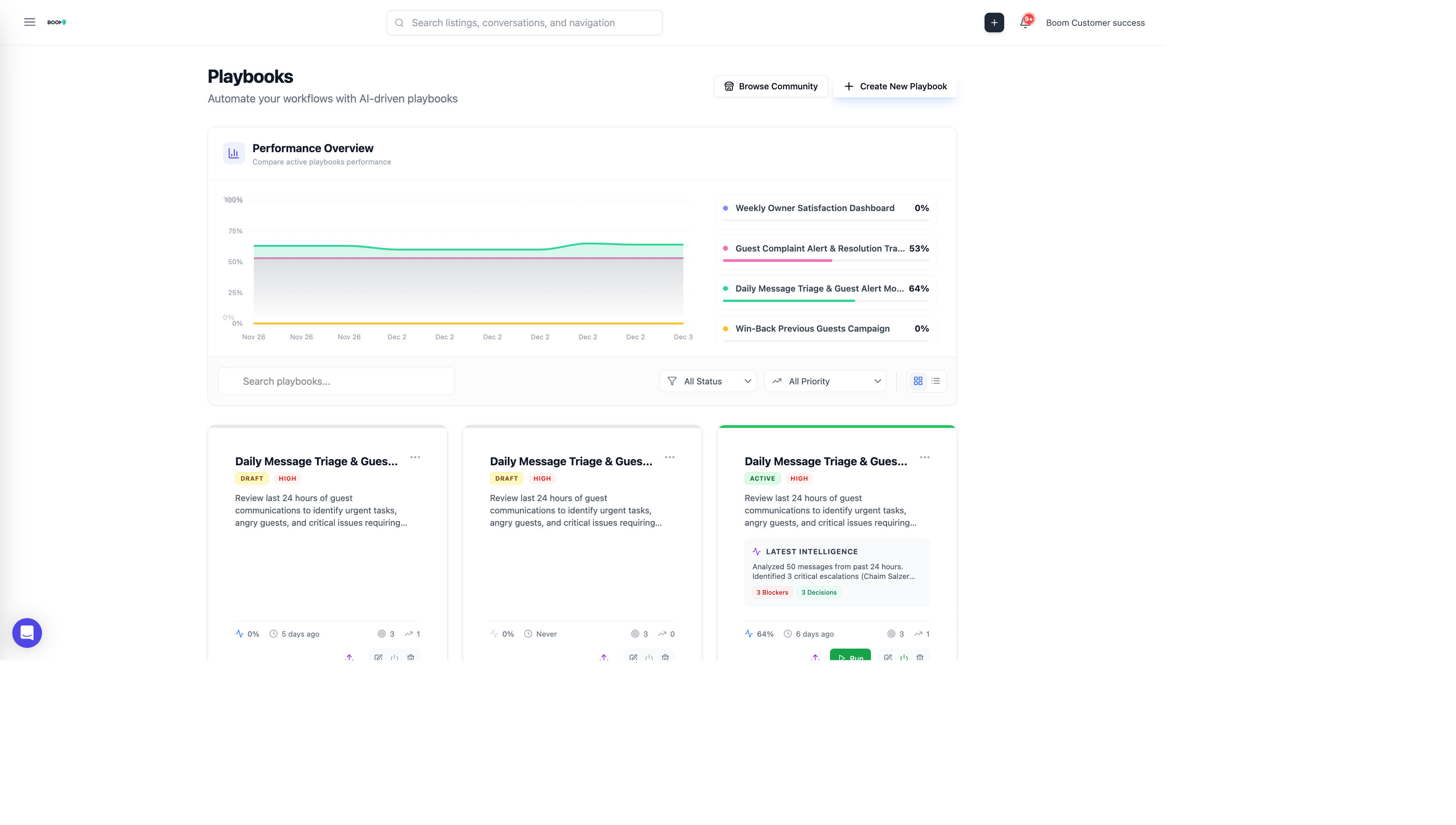
What are Playbooks?
Playbooks are automated workflows that BAM runs on a schedule. They combine AI reasoning with your business rules to handle repetitive tasks automatically, saving time and ensuring consistency.
Example Playbooks
Daily Message Triage
Categorize overnight messages by urgency and draft responses for common inquiries.
Guest Complaint Tracker
Identify negative feedback across channels and create follow-up tasks.
Win-Back Campaign
Find past guests who haven't booked in 12 months and send personalized offers.
Weekly Performance Report
Generate and email a summary of key metrics to stakeholders.
Pre-Arrival Preparation
Verify all check-in tasks are complete and send confirmation to guests.
Creating a Playbook
Open Playbooks
Navigate to BAM > Playbooks from the main menu, or go to app.boomnow.com/app/playbooks.
Click Create Playbook
Click the "Create Playbook" button to start.
Define the Purpose
Give your playbook a clear name and description. Describe what it should accomplish.
Write Instructions
Describe the workflow steps in natural language. BAM will interpret these instructions.
Set Schedule
Choose when the playbook should run: daily, weekly, or on specific triggers.
Configure Output
Specify what should happen with results: create tasks, send notifications, or log for review.
Test and Activate
Run a test to verify behavior, then activate the playbook.
Playbook Structure
Name
A short, descriptive title for easy identification.
Description
Detailed explanation of what the playbook does and why.
Instructions
Natural language steps for BAM to follow. Be specific about:
- What data to look at
- What criteria to apply
- What actions to take
- How to handle edge cases
Schedule
- Daily - Runs once per day at specified time
- Weekly - Runs on specified days of the week
- Monthly - Runs on specified day of month
- Manual - Only runs when triggered manually
Approval Mode
- Require Approval - Results sent for review before action
- Auto-Execute - Actions taken automatically (trusted playbooks)
Managing Playbooks
View Run History
See past executions, results, and any errors that occurred.
Edit Playbook
Update instructions, schedule, or settings. Changes take effect on next run.
Pause/Resume
Temporarily disable a playbook without deleting it.
Duplicate
Create a copy to modify for similar use cases.
Delete
Permanently remove a playbook and its run history.