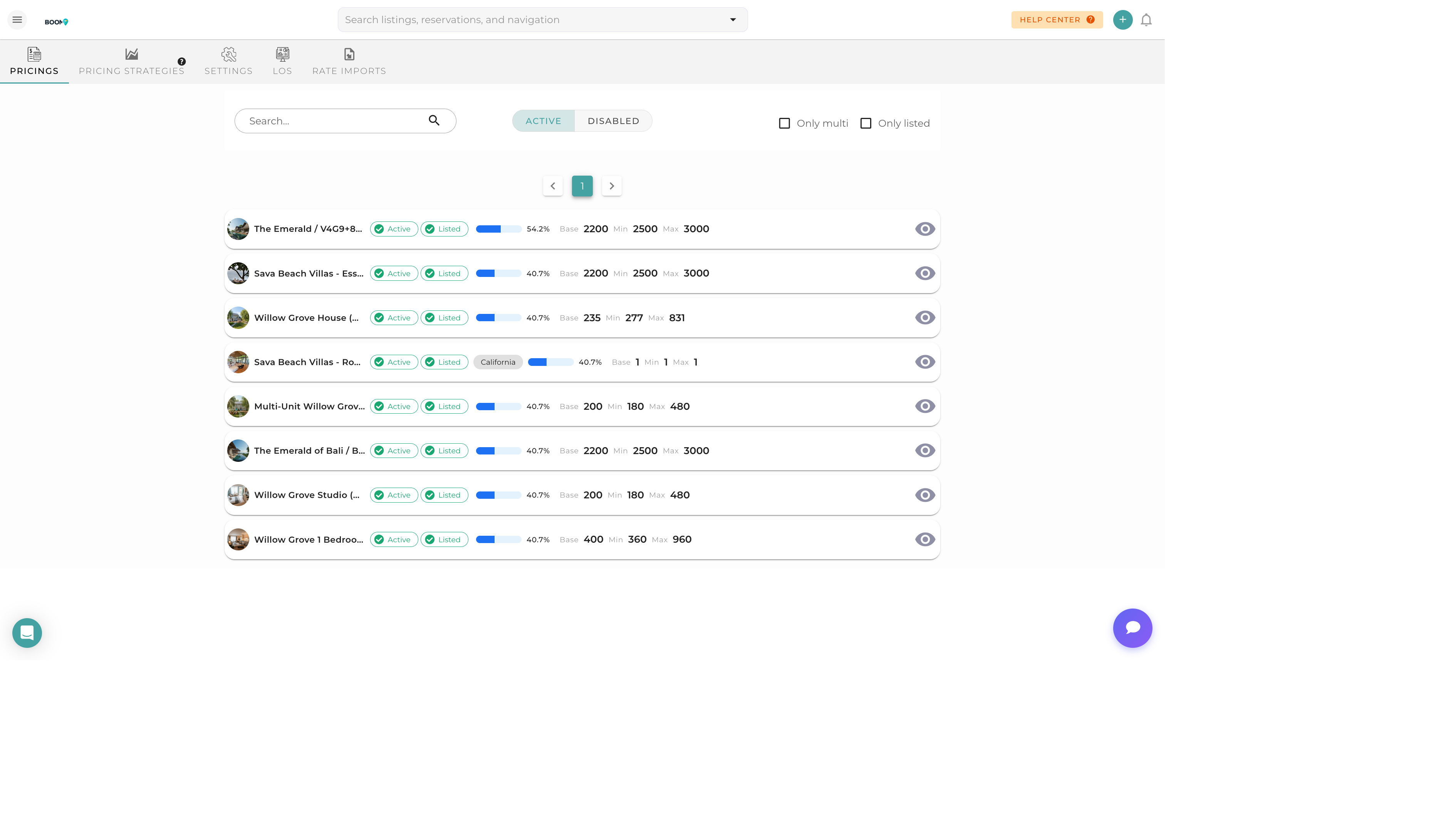
Overview
The Pricing Panel is your central hub for managing rates across all properties. From here, you can view, edit, and optimize pricing to maximize revenue while maintaining competitive rates.
Rate Types
Base Rate
The standard nightly rate for your property. This is the starting point for all pricing calculations.
Minimum Rate
The lowest rate you're willing to accept. Dynamic pricing tools will never go below this floor.
Maximum Rate
The ceiling for your rates during peak demand. Prevents excessive pricing that could hurt bookings.
Weekend Rate
A specific rate for Friday and Saturday nights, typically higher than weekday rates.
Seasonal Rates
Special rates for specific date ranges like holidays, local events, or seasonal demand patterns.
Pricing Components
Nightly Rate
The base charge per night of stay.
Cleaning Fee
A one-time fee charged per reservation for turnover cleaning.
Extra Guest Fee
Additional charge when the guest count exceeds a specified threshold.
Pet Fee
Fee for guests bringing pets (if allowed).
Security Deposit
Refundable deposit held against potential damages.
Taxes
Applicable local taxes, occupancy taxes, and VAT/GST.
Understanding the Interface
Property List
View all properties with their current pricing at a glance. Click on any property to edit its rates.
Calendar View
See pricing mapped to dates. Color coding helps identify rate variations.
Bulk Edit
Update rates across multiple properties or date ranges simultaneously.
Sync Status
See which rates have been pushed to connected channels and when.