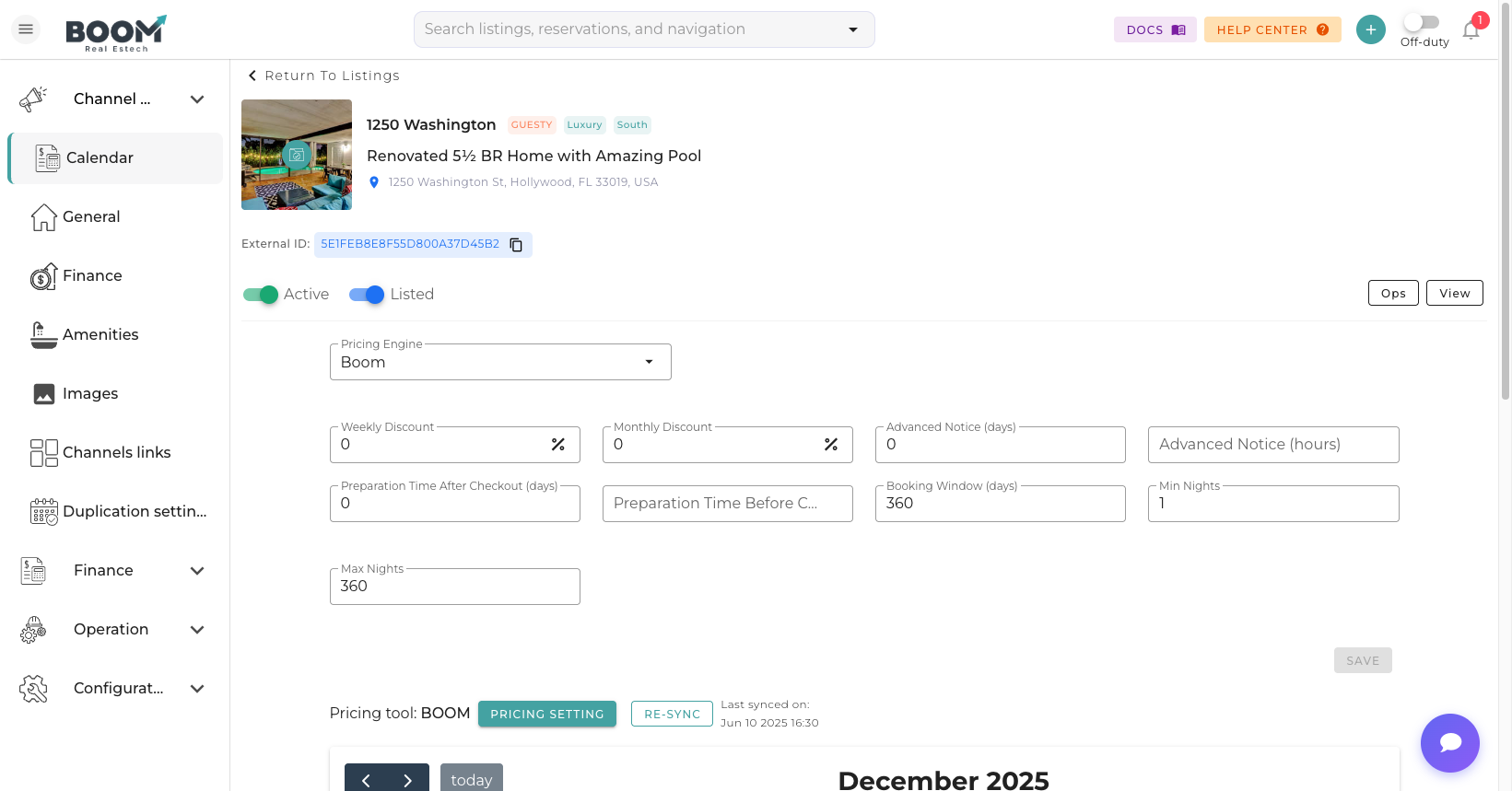
Edit Property: Update all aspects of your listing
Overview
Keep your property information up to date to maximize bookings. Changes made in Boom PMS automatically sync to connected booking channels.
Editable Sections
| Section | What You Can Edit |
|---|---|
| Basic Info | Name, type, bedrooms, bathrooms, capacity |
| Location | Address, coordinates, neighborhood |
| Description | Property summary, space details, highlights |
| Amenities | Available features and facilities |
| Photos | Add, remove, reorder images |
| Pricing | Base rate, fees, seasonal adjustments |
| Availability | Min/max stay, booking windows |
| House Rules | Check-in times, policies, restrictions |
Making Changes
- Open Property
Click on the property from your listings
- Select Tab
Navigate to the section you want to edit
- Make Changes
Update the information as needed
- Save
Click Save to apply changes
- Sync
Changes automatically push to connected channels
Channel Synchronization
When you edit property details:
- Instant sync - Title, description, amenities
- Background sync - Photos (may take a few minutes)
- Manual push - Some changes require manual sync trigger
Important
Some OTAs have review processes for certain changes. Major updates to description or photos may take 24-48 hours to appear on channels.
Bulk Editing
Update multiple properties at once:
- Select multiple properties from listings
- Click "Bulk Edit" button
- Choose fields to update (pricing, rules, etc.)
- Apply changes to all selected properties
Tips
Pro Tip
Update your property description seasonally to highlight relevant amenities (pool in summer, fireplace in winter) and improve search visibility.
Was this guide helpful?
Thanks for your feedback!