Reviews Dashboard: All your guest reviews in one place
Overview
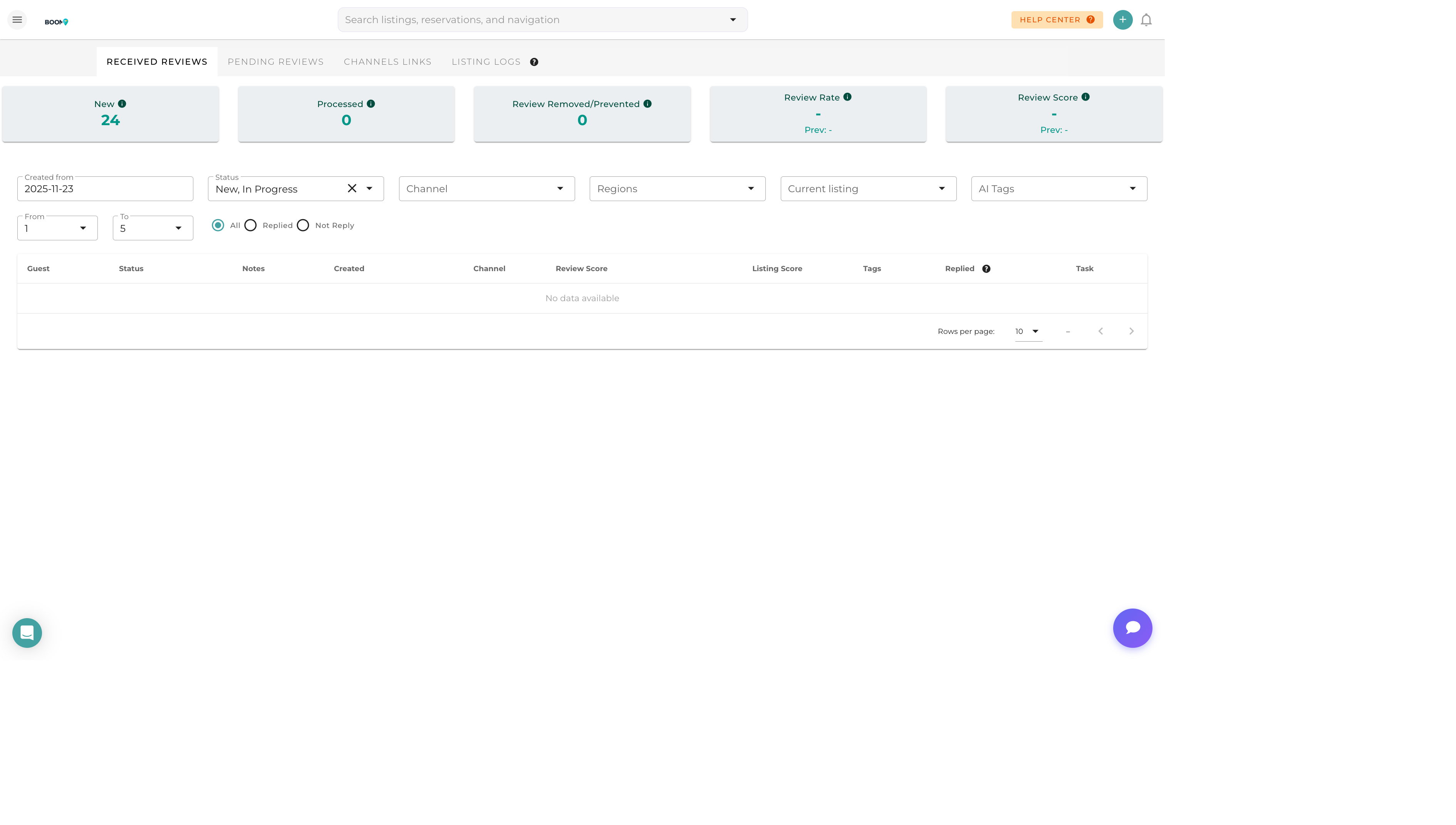
The Reviews Dashboard aggregates guest reviews from all connected booking channels into a single, unified view. Monitor your reputation, track trends, and respond to reviews without switching between platforms.
Understanding the Interface
Summary Statistics
At the top of the dashboard, you'll see key metrics:
- Average Rating - Overall rating across all properties
- Total Reviews - Number of reviews received
- Response Rate - Percentage of reviews with responses
- Pending Responses - Reviews awaiting your reply
Review List
Each review card displays:
- Guest Name - Who left the review
- Property - Which property was reviewed
- Channel - Source (Airbnb, Booking.com, etc.)
- Rating - Star rating or score
- Date - When the review was posted
- Review Text - The guest's written feedback
- Response Status - Whether you've responded
Filtering Reviews
By Property
Select one or more properties to focus on specific listings.
By Channel
Filter to see reviews from specific booking platforms only.
By Rating
View only positive (4-5 star), neutral (3 star), or negative (1-2 star) reviews.
By Response Status
- Pending - Reviews without responses
- Responded - Reviews you've already replied to
- All - All reviews regardless of status
By Date Range
Filter to a specific time period (this week, this month, custom range).
Quick Actions
- Respond - Write and post a response to the review
- View on Channel - Open the review on the original platform
- View Reservation - See the related booking details
- AI Suggest - Generate an AI response suggestion
Pro Tips
Prioritize Pending Reviews
Use the "Pending" filter to focus on reviews that need responses. Responding quickly shows guests and future bookers that you're attentive.
Regular Check-ins
Review sync happens automatically, but new reviews may take up to 24 hours to appear depending on the channel's API.