Overview
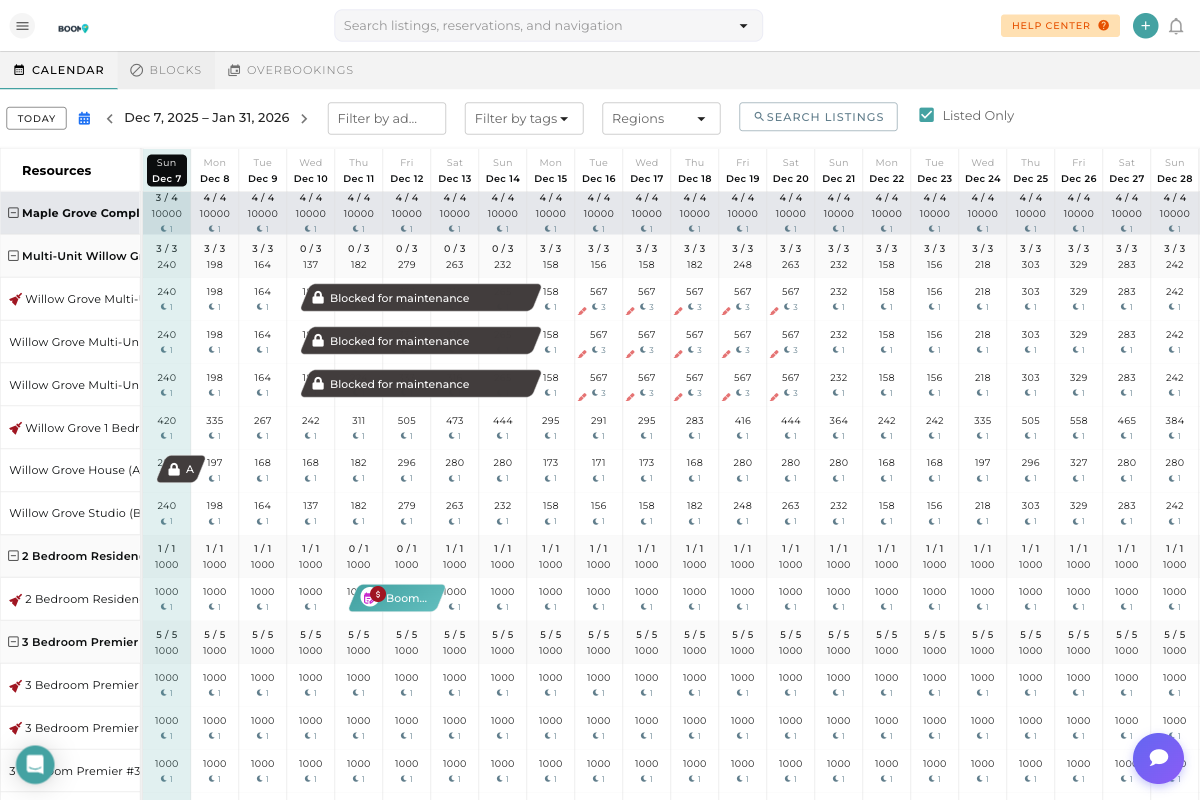
The drag and drop feature in Boom PMS makes rescheduling reservations quick and intuitive. Instead of manually editing reservation details, you can simply drag a reservation bar to new dates or even to a different property.
This is especially useful when:
- Guests request date changes
- You need to relocate guests to a different property
- Resolving scheduling conflicts
- Optimizing occupancy by rearranging bookings
Moving Reservations to Different Dates
Find the reservation you want to move on the calendar. Reservations appear as colored horizontal bars spanning the check-in to check-out dates.
Click on the reservation bar and hold your mouse button down. The cursor will change to indicate you're in drag mode.
While holding the mouse button, drag the reservation left (earlier) or right (later) to the desired new check-in date. A preview will show where the reservation will land.
Release the mouse button to drop the reservation in its new position. A confirmation dialog will appear showing:
- Original dates
- New dates
- Any price changes
Click Confirm to save the changes or Cancel to revert.
Moving to a Different Property
You can also move reservations between properties:
- Click and hold the reservation
- Drag it vertically to a different property row
- Position it on the desired dates
- Release to drop
The system will check if the target property is available for those dates before allowing the move.
Extending or Shortening Stays
To change the length of a reservation:
- Hover over the left edge (check-in) or right edge (check-out) of the reservation
- The cursor will change to a resize indicator
- Click and drag the edge to extend or shorten the stay
- Release to confirm the new dates
Movement Restrictions
Not all reservations can be freely moved. The system enforces certain rules:
| Restriction | Reason |
|---|---|
| Blocked Dates | Cannot move reservations to dates that are blocked |
| Existing Reservations | Cannot overlap with other confirmed reservations |
| Channel Bookings | OTA bookings may have restrictions on date changes |
| Past Dates | Cannot move reservations to dates in the past |
| Minimum Stay | Must respect minimum night requirements |
Pro Tips
What's Next?
Now that you can move reservations on the calendar:
- Use Calendar Filters to find specific properties
- View the Pricing View to understand rate impacts
- Learn about Editing Reservations for more detailed changes
Was this guide helpful?
Thanks for your feedback!